Guide ยท from your wrist

How to Use a Garmin Watch as a Camera Remote

Your phone is the camera; your Garmin shows the live preview and takes the shot. Here's what to install, what you can control, and which watches work.

๐Ÿ“… Published Aug 27, 2026 โœ๏ธ Yoav Franko, developer of SayCheese โฑ๏ธ 3 min

A Garmin watch becomes a live camera remote with the free SayCheese for Watch app: your phone is the camera, and your watch shows the live preview and fires the shutter. Two installs, a few seconds of pairing, and you shoot from your wrist.
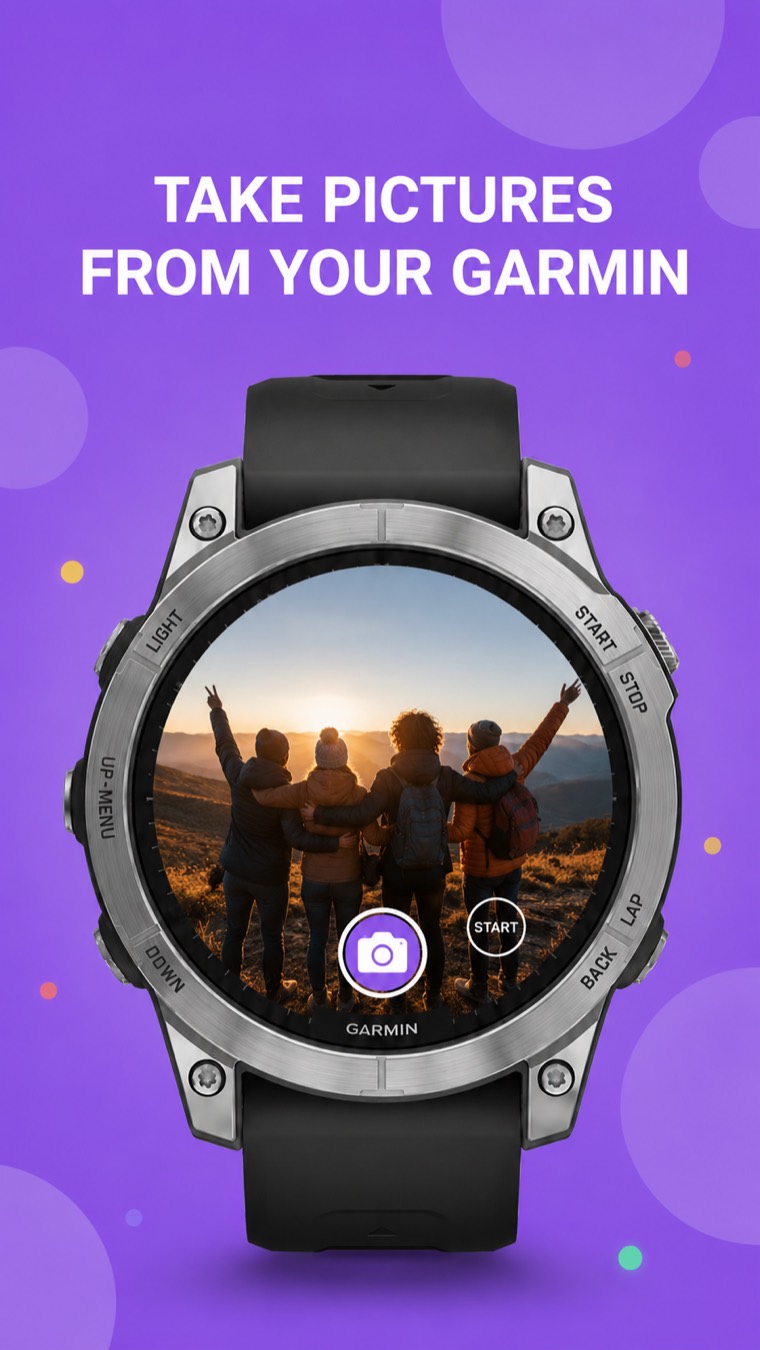
A Garmin watch showing a live preview of a phone's camera, ready to take the picture from the wrist
The viewfinder, on your wrist

Can a smartwatch control your phone's camera?

Yes. A Garmin watch controls your phone's camera through the standalone SayCheese for Watch app, and an Apple Watch does it through the main SayCheese app. Both show a live preview on the wrist and trigger the shutter remotely.

Garmin doesn't ship a built-in camera remote for phones - an app fills the gap. SayCheese for Watch streams the phone's live viewfinder to the watch over the Garmin Connect link and sends your taps back: shutter, flash, timer, zoom and exposure included.

What do you install for a Garmin camera remote?

Two free apps: the SayCheese for Watch companion on your phone (App Store or Google Play) and the SayCheese watch app from the Garmin Connect IQ store.

On your watch

SayCheese on Connect IQ

The watch app shows the live preview and puts the shutter, flash, timer, zoom and exposure right on your wrist. Install it from the Garmin Connect IQ store.

Two quick installs, a few seconds of pairing - then you're shooting from your wrist.

How do you connect the watch to your phone's camera?

Install both apps, open them, and they pair over the Garmin Connect link automatically. Prop the phone, then frame and shoot from the watch.

  1. Install both apps. Install SayCheese for Watch on your phone (App Store or Google Play) and the SayCheese watch app from the Garmin Connect IQ store.
  2. Pair and prop your phone. Open both apps; they connect over the Garmin Connect link. Prop your phone wherever you want the shot.
  3. Frame and shoot from your wrist. Watch the live preview on the watch, then tap to capture a photo or start recording video.
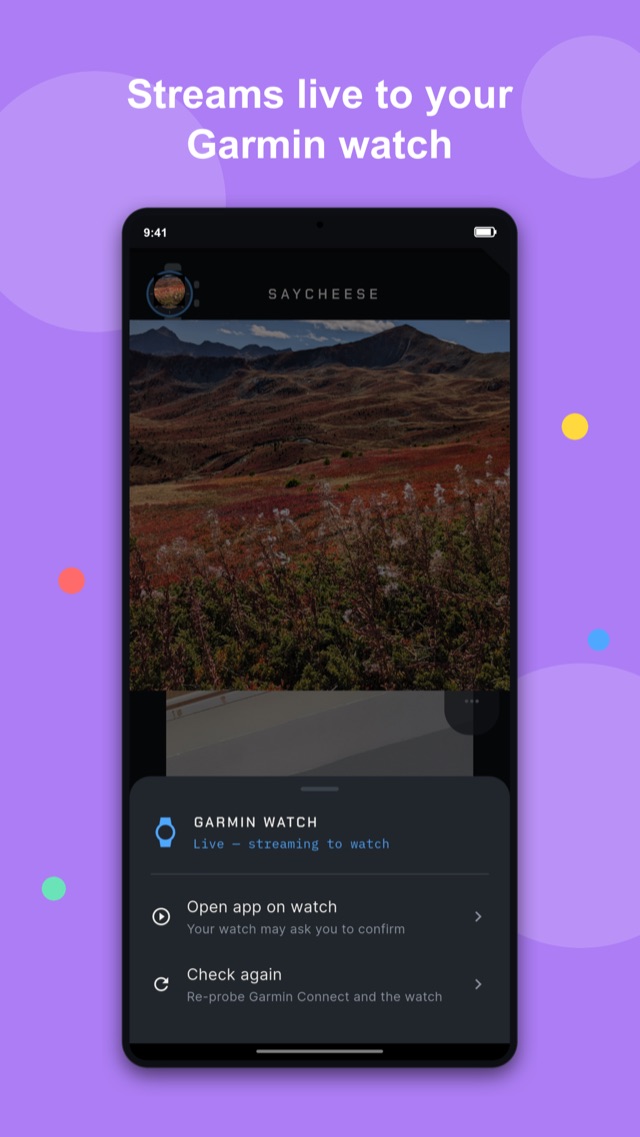
SayCheese phone app streaming the live camera feed to a connected Garmin watch
Phone paired, feed streaming to the watch

What can you control from the watch?

The shutter, photo/video mode, flash, timer, zoom and exposure - and every capture saves to your phone's photo library plus an in-app Captures gallery.

Tap for a photo, or switch to video and start and stop recording from your wrist. One press can also fire a burst - a quick series of shots for the jump photo.
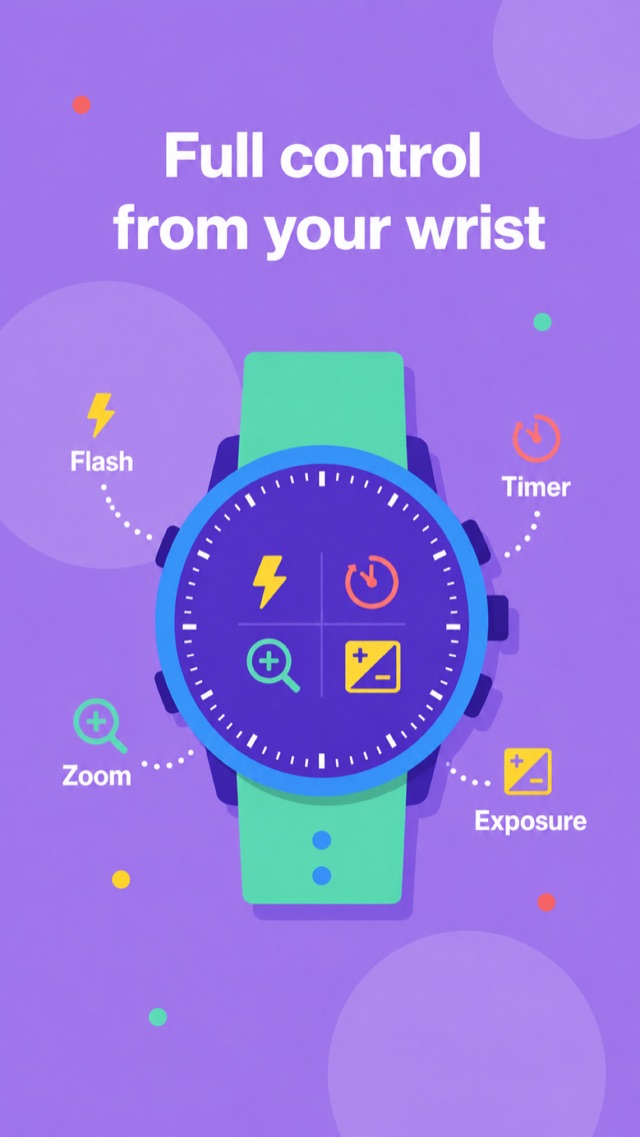
The wrist viewfinder
Garmin watch showing flash, timer, zoom and exposure controls
Every control
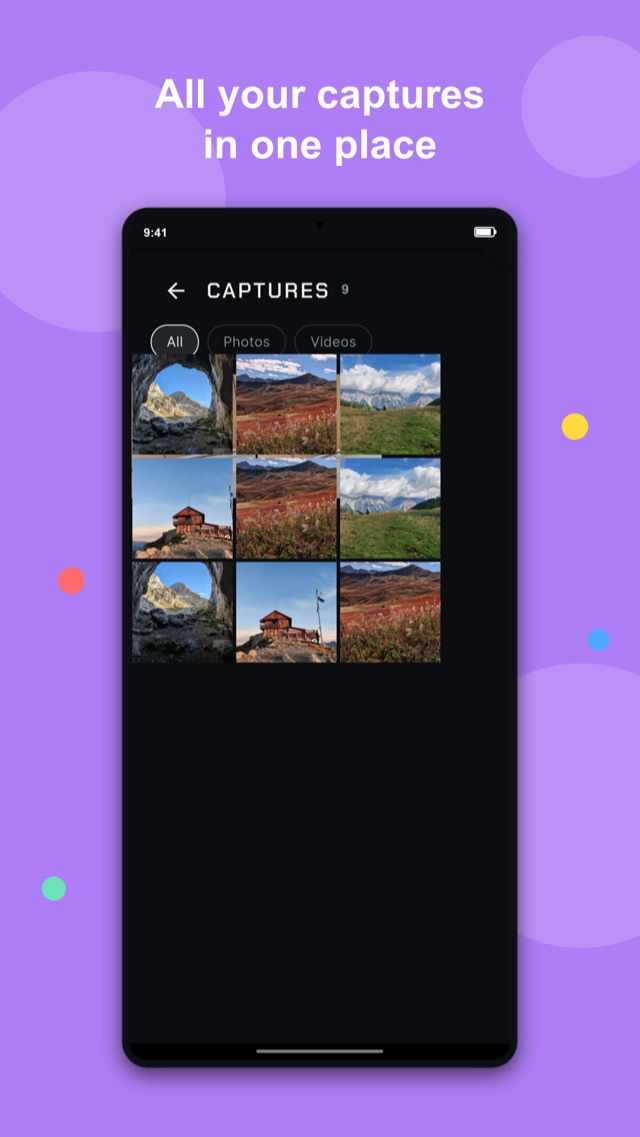
SayCheese captures gallery with All, Photos and Videos tabs
The captures gallery
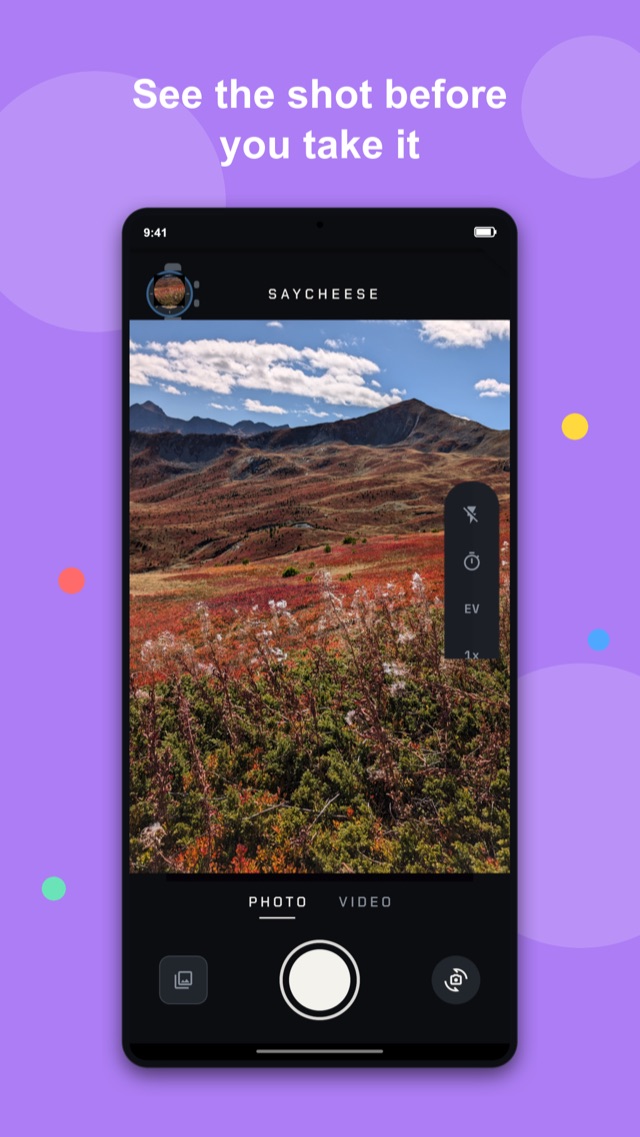
SayCheese phone app showing the live camera viewfinder with photo and video modes
The phone side

The controls, gallery, and phone app are real screenshots from SayCheese for Watch.

Which Garmin watches work as a camera remote?

More than 100 Garmin devices with Connect IQ 3 or newer - from the Fenix, Forerunner and Venu lines to Edge bike computers and even GPSMAP handhelds.

  • Fenix 5 Plus, 6 Pro, 7, 8 series and Fenix E
  • Epix Gen 2 and Epix Pro
  • Forerunner 165 / 245 / 255 / 265 / 570 / 645 / 745 / 945 / 955 / 965 / 970
  • Venu 1 through 4, Sq / Sq 2, X1
  • Vivoactive 3 Music / 4 / 5 / 6
  • Instinct 3 AMOLED and Crossover, Enduro 3
  • MARQ Gen 1 and 2, Descent, D2, Approach S50 / S62 / S70, Legacy editions
  • Edge bike computers: 530 / 540 / 550 / 830 / 840 / 850 / 1030 / 1040 / 1050 / Explore 2 / MTB
  • Even handhelds: GPSMAP 66 / 86 / H1 and eTrex Touch

The authoritative, always-current list is on the Connect IQ store page.

Does it work with Apple Watch?

Yes - through the main SayCheese app, not SayCheese for Watch. Since version 2.3.0, the Apple Watch works as a live remote for the iPhone's camera. Wear OS is not supported yet.

If you have an Apple Watch, install the regular SayCheese app on your iPhone: the watch app comes with it, shows the live preview on your wrist, and fires the shutter.

What if you're not wearing a watch that day?

Use whatever you have on you. SayCheese isn't a choice you shop for - a second phone, a tablet, or just one phone and your voice all do the job.

A hiking buddy with a phone? Two phones become a camera and a live remote - the phone guide is that whole story.

Just your one phone? Voice mode needs nothing else: prop it, get in the frame, say “cheese.”

On the bike? The Edge 540 / 840 / 1040 / 1050 head units run the watch app too - a camera remote on your handlebars.

Frequently asked questions

Which Garmin devices does it support?

SayCheese for Watch runs on more than 100 Garmin devices with Connect IQ 3 or newer - the Fenix 5 Plus through Fenix 8 series, Epix, Forerunner 165 through 970, Venu 1 through X1, Vivoactive 3 Music through 6, Instinct 3 AMOLED, Enduro 3, MARQ, Descent, D2, Approach, and the Legacy editions. It even runs on Edge bike computers (530 through 1050) and GPSMAP handhelds. The full device list is on the Connect IQ store page.

Do I need my phone with me?

Yes. Your phone is the camera and your watch is the remote. Prop your phone where you want the shot, then use your watch nearby to see the live preview and fire the shutter.

Does it need an internet connection?

No internet is required. The watch talks to your phone over the Garmin Connect link, so it works anywhere - indoors, outdoors, or completely off the grid.

Where are my photos and videos saved?

Every photo and video is captured on your phone and saved straight to your phone's photo library, plus an in-app Captures gallery where you can browse them by All, Photos, and Videos.

Is it free?

Yes, SayCheese for Watch is free to download on the App Store, Google Play, and the Garmin Connect IQ store.

What about Apple Watch or Wear OS?

Apple Watch is supported today through the main SayCheese app: since version 2.3.0 the Apple Watch works as a live remote for the iPhone's camera. Wear OS is not supported yet. SayCheese for Watch itself is built for Garmin devices.

No smartwatch? Use a second phone as your camera instead.

The original SayCheese turns any two phones into a camera and a live remote shutter - same idea, no watch required.

Read the phone guide โ†’

Get in the photo, from your wrist

Download SayCheese for Watch and turn your Garmin into a live camera remote. Free on every store.